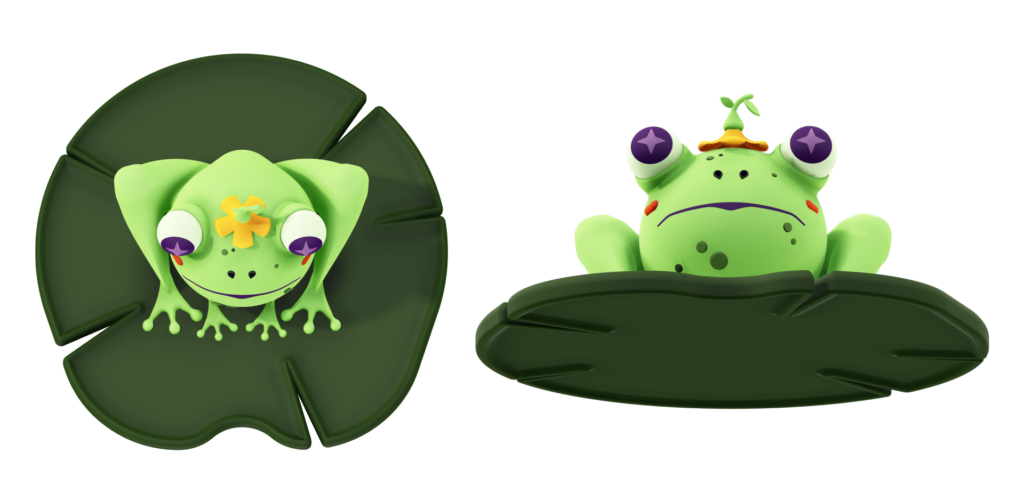
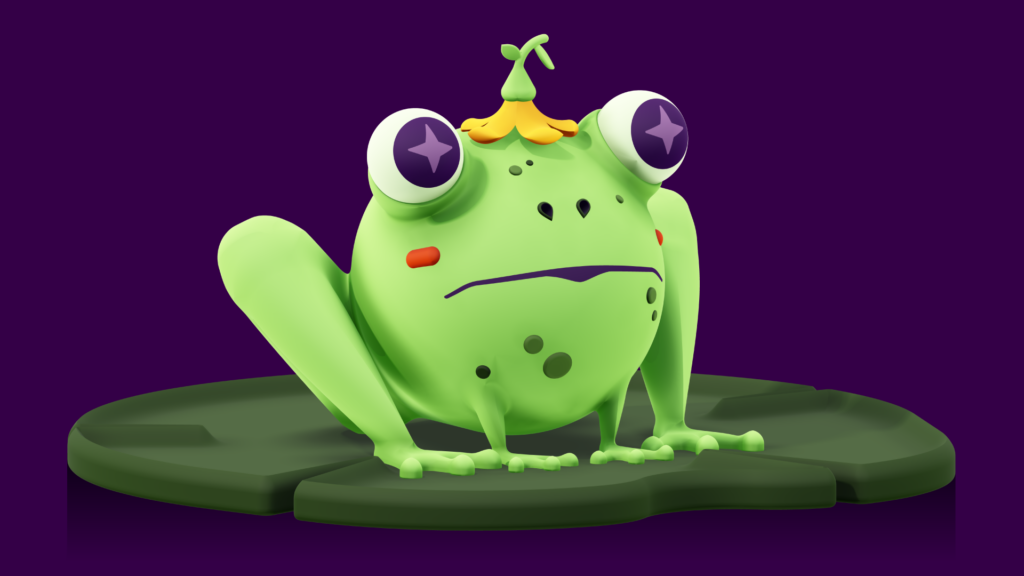
I had just wrapped up my first project in Project Neo, a Bingsu 3D character, when I got the opportunity for a live session on Adobe Live. It seemed like the perfect opportunity to showcase what I had learned in Project Neo. I followed a similar process for this illustration starting with character sketches, creating the turnaround, and then modeling in Project Neo. The chat named the frog Terrence.
Final Art
Sketches
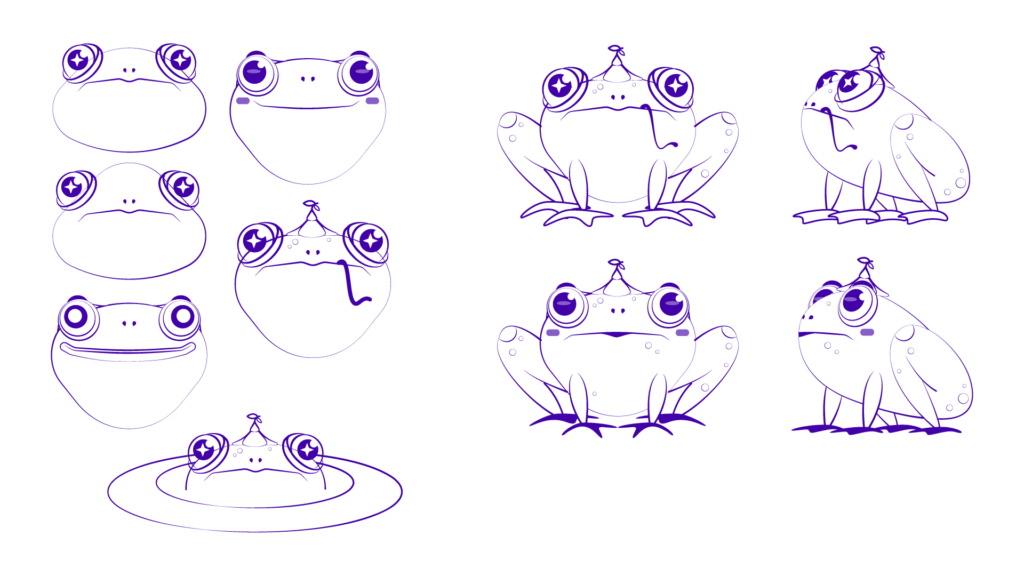
This time instead of doing full body expressions, I focused on just the face trying out different face shapes, eyes, mouth styles, and placement of facial features. I didn’t vary the body of the frog too much since I had a specific idea on my head for how I wanted the frog sitting.
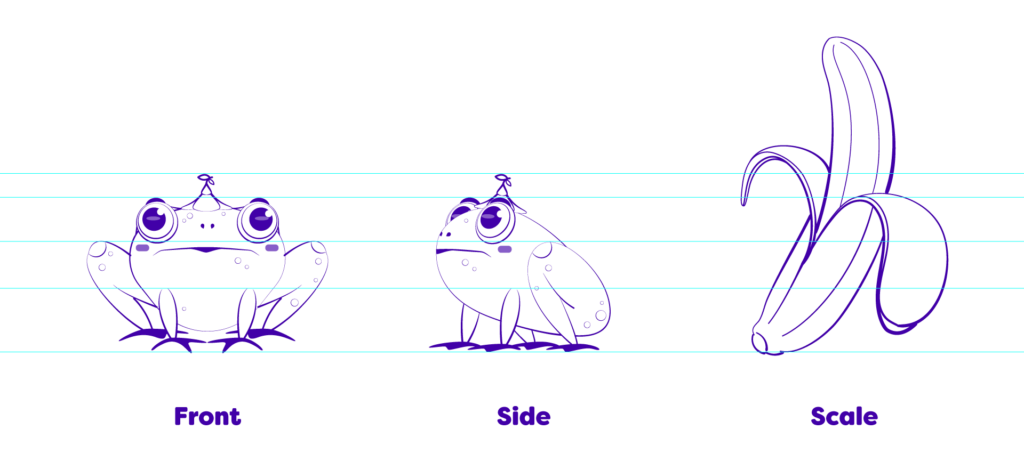
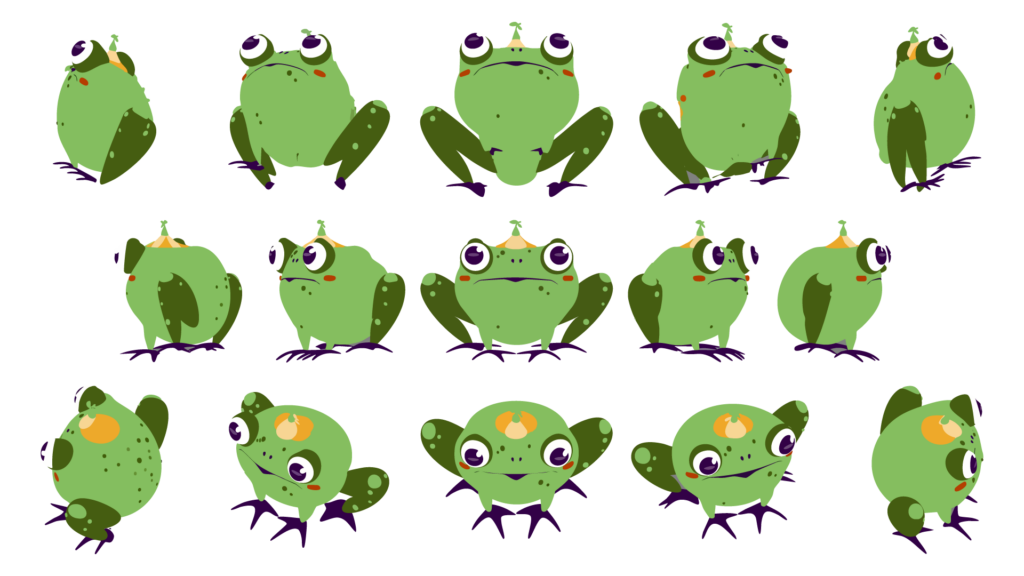
Next I put together the sketch that worked best into a character turnaround format. Frogs legs can be tricky to understand spatially, so if I was going to have any luck rendering this in 3D, I knew I needed to have a really strong side profile. I used guidelines to ensure all of the elements in the front and side view lined up when turned to set myself up for success in Project Neo. The banana for scale is for fun, but I did want my character to be really really small, so small they wear a flower as a hat, so I tried to demonstrate that.
I also had the chance to try out Project Turntable in Adobe Illustrator to create a character turnaround. Turntable lets you take a static 2D vector illustration and create views of said illustration that you can rotate through. I could see this being really helpful if you’re having trouble visualizing the character from different angles.
Color
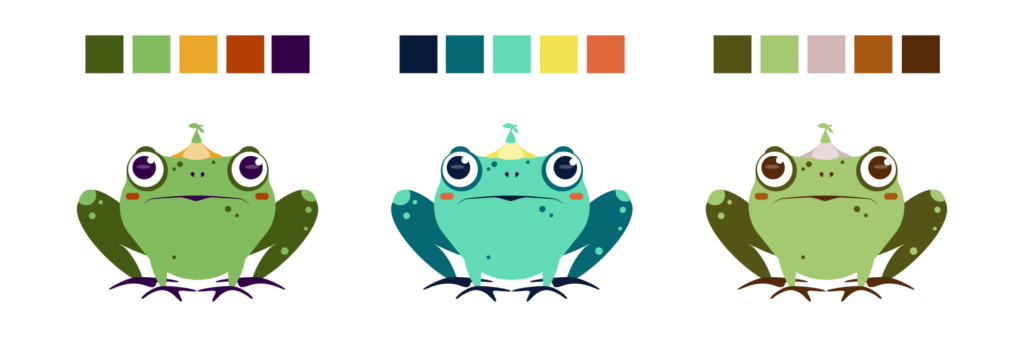
The color palette choices for Terrence were pretty straightforward. Green is the base for all of them, with the middle being the most experimental with the cooler colors. Ultimately I went with the first.
Final Outputs
I decided to add a lily pad to ground the character while in Project Neo, it wasn’t something I planned out during sketching, but I really like how it helps give him weight and scale.
I really enjoy how you get to see your character from all angles in 3D, and Project Neo is pretty approachable for creating this style of work. It works really well going back and forth with Illustrator, and the UI and functionality is very familiar.